
This topic contains 13 replies, has 5 voices, and was last updated by  Aimdy 1 month, 3 weeks ago.
-
AuthorPosts
-
08/03/2015 at 12:06 pm #1631108/03/2015 at 12:29 pm #16316
I had filament slip yesterday - when I swapped ABS to PLA (ColorFabb). First purge caused horrible noise from extruder + moment where there was nothing coming from the head nor eject filament or eject stuck filament did anything.
I had to take the printer - extruder apart to fish this thing out of it:
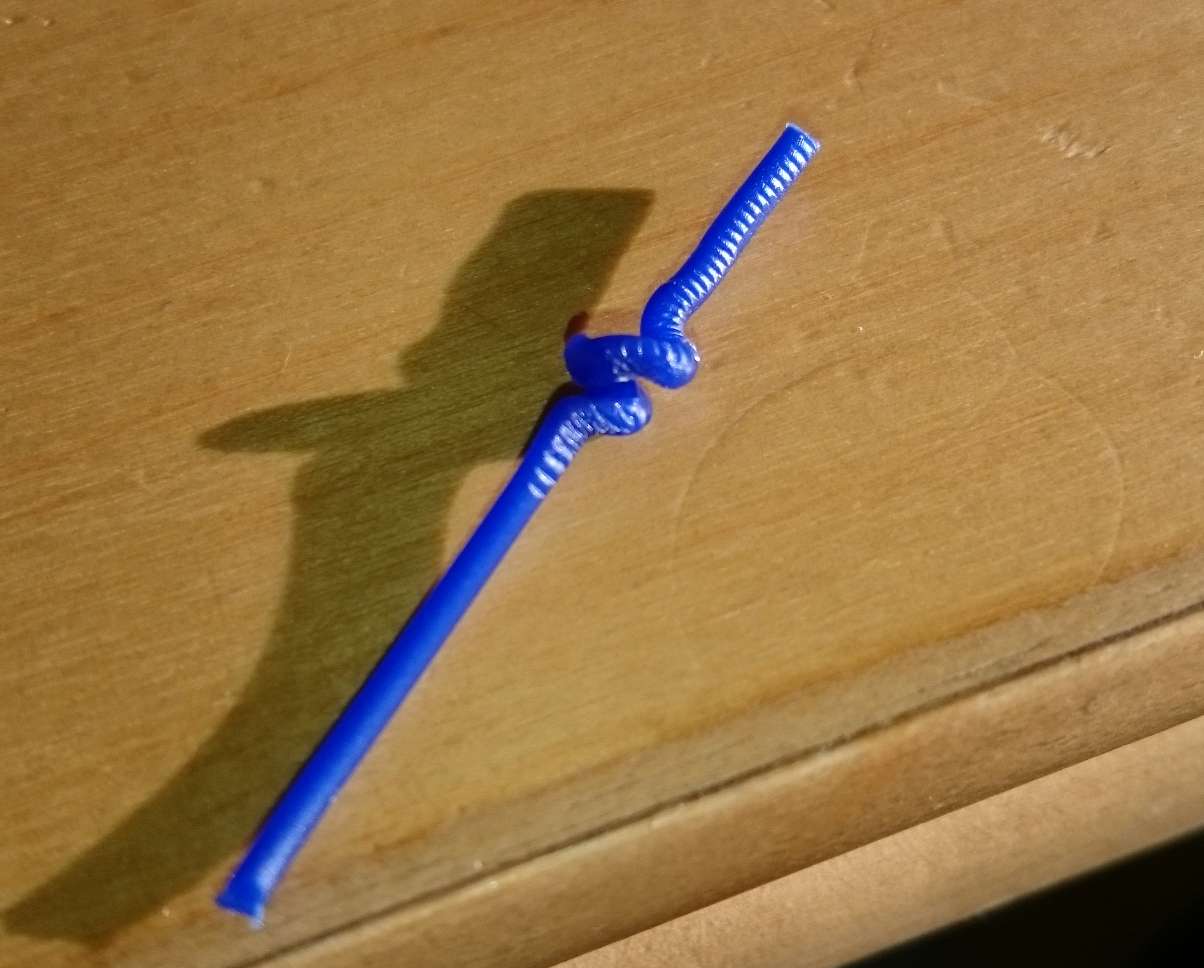
After that - all worked fine. What caused it - no idea!

-
This reply was modified 2 months, 1 week ago by
 click.
-
This reply was modified 2 months, 1 week ago by click.
Attachments:
You must be logged in to view attached files.08/03/2015 at 12:40 pm #16321I have no problem while purging, but the issue occurs once I start printing
09/03/2015 at 12:49 am #16341@dtoo tightening the extruder tension should help. Make it as tight as you can but don’t overdo it or you might crack the tension spring housing. If this all sound too foreign, then it would be best to seek help from Cel.
Moh09/03/2015 at 2:20 pm #16362Indeed, the filament slippage error message is currently the most common problem I have.
It seems robox is a bit strict about the error and I don’t see any real problem. I click the message away and the robox continues printing. The only anoying part is that I can’t really rely on my Robox finishing a print without checking regularly to see if it is still printing.
Is there a way to reduce the number of these messages?
Bert
09/03/2015 at 2:31 pm #16363@brjhaverkamp yes you can, please see the post below
http://www.cel-robox.com/forums/topic/filament-slippage-error/#post-15734
Moh10/03/2015 at 11:09 am #1639810/03/2015 at 1:44 pm #16405@dtoo did you also check to make sure that your extruder is in perfect working conditions, not cracks anywhere, no parts needing cleaning, the plastic worm gear is still in good shape? Nylon prints very nicely but it just not as easy to print in a bowden tube and robox because the filament is squishy and soft, from what I understand Cel has not resolve this issue yet. Granted I have not tested with nylon in a while, when I have a chance to try again, if I discover any tricks I will be sure to provide some feedback.
Moh10/03/2015 at 6:03 pm #16410@dtoo what temperature are you printing the Bridge with? I have found that slippage can usually be stopped in many filaments by increasing the print temperature. This also promotes better layer adhesion. My current settings for Bridge are 220C for the nozzle and 70 for the bed. You can take Nylon up to 240C for printing per Taulman’s website. I would increase your temperature by 5 degree increments up to 245 and see if that will solve your problem. Nylon is pretty forgiving with print temperature.
I am not affiliated with CEL; I operate two Betas and one Production Robox.11/03/2015 at 7:14 pm #16463@bhudson I’m printing with 245C .
after tightening the extruder tension another problem has occurd, 0.3 nozzle makes gaps while printing (filament stops flowing) even with ABS, which worked without any issues before, gaps are made at the same parts of the print on each layer, I tried calibrations, purge, nozzle cleaning but nothing helps. 0.8mm nozzle works well.
<span style=”color: #444444; font-family: OpenSansRegular; font-size: 12px; line-height: 25.2000007629395px; text-align: center; background-color: #fbfbfb;”> </span>
Attachments:
You must be logged in to view attached files.11/03/2015 at 7:22 pm #16465@dtoo That is not skipping, that is the nozzle too close to the build plate. You can either work through and let it be, or you can lift the fine nozzle 0.05 and try again.
I am not affiliated with CEL; I operate two Betas and one Production Robox.15/03/2015 at 8:10 am #16593 -
This reply was modified 2 months, 1 week ago by
-
AuthorPosts


You must be logged in to reply to this topic.


